AIDealsPro is reader-supported. Some links on this page are affiliate links: if you buy through them we may earn a commission at no extra cost to you. It never changes our verdicts. How we review: https://aidealspro.com/how-we-review/
Best for: creators who want cinematic image-to-video on a budget — realistic motion at the lowest entry price in the category.
Not for: avatar presenters, long training videos, or anyone needing a generous free tier — Basic has no monthly credits and no commercial use.
Kling shows plan prices only after you sign in at klingai.com.
Table of Contents
What is Kling AI?
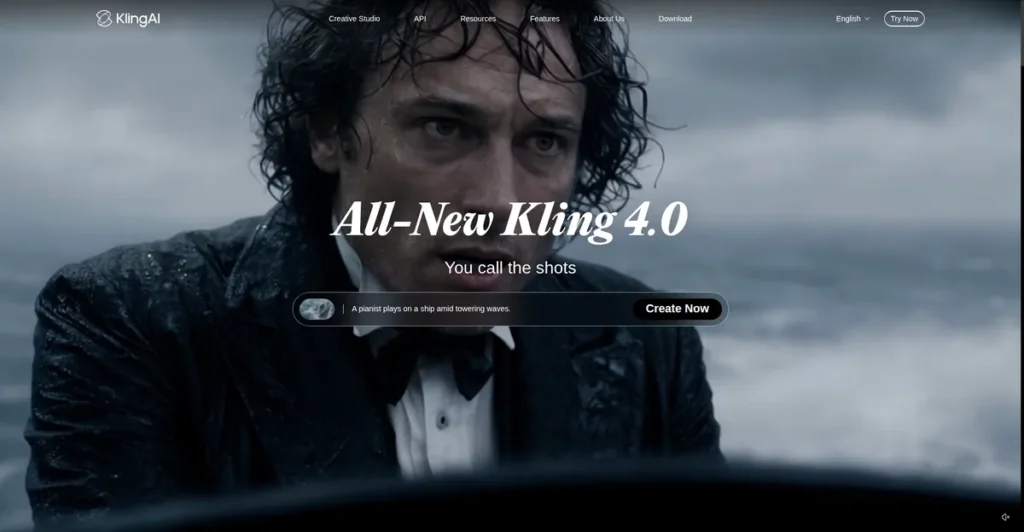
Kling AI is a generative video model by Kuaishou, known for realistic motion in image-to-video generation: upload a starting image, describe the motion, and get a short cinematic clip. It also does text-to-video and image generation. Its pitch is quality per dollar — flagship-adjacent motion at a fraction of the price of bundled platforms. Note: Kling’s global site has migrated from
klingai.com to kling.ai — the membership page below is on kling.ai (checked Oct 2026). This Kling AI review covers the real pricing, what credits buy, and the free tier’s hard limits.
Pricing: what Kling costs (checked 9 Oct 2026)
Kling shows plan prices only after you sign in at klingai.com.
developer API packages are public at kling.ai/dev/pricing with 10% off packages 3–5 (checked 10 Oct 2026).
All paid plans: auto-renew, cancel anytime, commercial use allowed, watermark removal, 1080p/4K generation, daily free credits for subscribers. Subscription credits are valid 1 month; purchased credits valid 2 years. Failed generations are refunded (per Kling’s credits policy).
What credits actually buy: cost per video
Kling’s own credit guide gives clean numbers: on any tier, credits convert at roughly 1 credit per image and 20 credits per 720p video. 4K costs 30 credits per second.
| Plan | Credits/month | 720p videos/month | Images/month |
|---|---|---|---|
| Standard (660) | 660 | ~33 | 660 |
| Pro (3,000) | 3,000 | ~150 | 3,000 |
| Premier (8,000) | 8,000 | ~400 | 8,000 |
| Ultra (26,000) | 26,000 | ~1,300 | 26,000 |
Cost per finished minute (720p): ~33 videos ≈ 2.75 min on Standard (660 credits), ~1,300 videos ≈ 108 min on Ultra (26,000 credits). That is the lowest per-video credit cost for cinematic video in this roundup — the trade-off is a single model, not a marketplace.
Kling vs the bundle: direct subscription vs Higgsfield
Kling 3.0 is also available inside Higgsfield’s multi-model subscription — so which is cheaper if Kling is all you use? The math:
| Kling Standard (direct) | Higgsfield Starter (bundle) | |
|---|---|---|
| Price | Shown after sign-in | $19/month |
| Credits | 660 | 270 |
| Cost per credit | — | ~$0.070 |
| Per 720p video | 20 credits | ~7 credits = ~$0.49 |
| 720p videos/month | ~33 | ~38 |
The paradox: Higgsfield’s per-video credit cost is lower (7 vs 20 credits), but its credits cost more per credit — so direct usually wins per video. The bundle only wins when you also use its other models (Veo, Sora 2, Seedance) in the same month. Kling-only creators should subscribe direct.
Higgsfield shows different plan sets to different visitors — paid plans from $9 or $19 a month depending on the set you see (checked 10 Oct 2026); details: higgsfield-pricing
Monthly vs annual: the math
Kling shows plan prices only after you sign in at klingai.com.
What 4K really costs
4K generation costs 30 credits per second on every tier — here is what that means in credits:
- Standard (660 credits): ~22 seconds of 4K (~0.4 min).
- Pro (3,000 credits): ~100 seconds (~1.7 min).
- Premier (8,000 credits): ~267 seconds (~4.4 min).
- Ultra (26,000 credits): ~867 seconds (~14.4 min).
The lesson: 4K is a finishing format, not a drafting format. Render every test at 720p (20 credits per video), and spend 4K credits only on final exports. One 5-second 4K clip (150 credits) costs as much as seven 720p clips.
What the free plan really gives you
The $0 Basic tier is “free forever” but has no monthly credits: no 1080p/4K generation, no video extension, no image upscaling, no commercial use, and watermarked output. Free credits arrive only through occasional promotional “Bonus Rewards” campaigns. It answers “do I like the workflow” — for real generation, Standard ($10) is the entry point. This is the thinnest free tier in the roundup; compare it honestly with HeyGen’s 3 free videos a month.
Key features (from the official site and docs)
- Image-to-video with realistic motion (the signature strength).
- Text-to-video and image generation on the same credit pool.
- 1080p and 4K generation on paid plans (4K: 30 credits/second).
- Video extension, image upscaling, multi-shot on paid tiers.
- Commercial use allowed on all paid plans; watermark removal included.
- Daily free credits for subscribers; failed generations refunded.
Feature availability varies by plan — check the membership comparison table on kling.ai.
A week on Standard: sample production plan
Standard’s 660 credits = ~33 videos a month ≈ 8 a week — before re-rolls. A realistic week:
- 5 planned clips × 20 credits = 100 credits.
- Re-rolls: budget 2x your plan (not every generation is usable) = 200 credits.
- 10 test images × 1 credit = 10 credits.
- Weekly total: ~310 credits → ~1,240/month — nearly double Standard’s allowance.
So Standard comfortably fits about 3–4 finished clips a week with re-rolls, or 8 a week if half your prompts work first try. The way to find your tier: count your weekly clips × 20 credits × 2 (re-roll factor) × 4 weeks. If the result tops 660, you need Pro.
Pros and cons
Pros
- Low per-video credit cost in the roundup (20 credits per 720p video on every tier).
- Simple credit math: 1 credit/image, 20 credits/720p video — no per-model guessing.
- Commercial use and watermark removal on every paid tier.
- Failed generations refunded; purchased credits valid 2 years.
Cons
- Single model — no marketplace variety (compare Higgsfield’s 50+ models).
- Free tier has no monthly credits and no commercial use — thinnest free plan here.
- No avatar presenters, no editing suite — generation only.
- 4K is expensive (30 credits/second on every tier).
Who should NOT use Kling
- Anyone needing avatar presenters or talking-head video — Kling generates scenes, not presenters. See HeyGen review
- Training teams needing minutes, languages, and LMS export — see HeyGen vs Synthesia
- Creators wanting many models under one subscription — that is Higgsfield: Higgsfield vs Runway
- Anyone expecting a usable free tier — Basic has no monthly credits.
The re-roll budget: why 33 videos means ~15 finished
The plan tables assume every generation is usable. It is not — especially while you are learning prompting. Apply a keeper rate:
- 100% keeper rate (every render usable): ~33 finished/month on Standard, ~150 on Pro.
- 50% keeper rate (typical): ~16 on Standard, ~75 on Pro.
- 33% keeper rate (learning phase): ~11 on Standard, ~50 on Pro.
Professionals budget 3x generations per finished clip; beginners should budget 2x. This single adjustment is the difference between a plan that fits and a plan that runs dry on the 20th.
Who upgrades to Pro
Upgrade when you run out of credits before month-end two months in a row — not before. Pro (3,000 credits ≈ 150 videos) fits roughly 75 finished clips a month at a 50% keeper rate, about 18 a week. That is the daily-poster tier. Everyone else: Standard plus disciplined prompting.
Kling vs Runway vs Higgsfield: the budget ranking
Cinematic clips, ranked by videos per month on the entry plan:
- Kling Standard: ~33 videos/month at 20 credits per 720p video — most videos on the entry plan.
- Higgsfield Starter ($19, Kling 3.0 inside): ~38 videos/month at ~$0.49/video.
- Runway Standard ($15, Gen-4.5): ~10 videos/month at ~$1.50/video.
Kling wins on videos per month on the entry plan by a clear margin — the trade-off, as ever, is one model versus a marketplace (Higgsfield) or an editing suite (Runway). If your brief is “cinematic clips, nothing else,” stop comparing and buy Kling.
One caveat on the ranking: it counts single 720p clips only. If you need 4K, avatar presenters, or an editing suite, the ranking reshuffles — Kling has no answer for those jobs. Buy for the job you actually have, not the cheapest row in a table.
Alternatives
Higgsfield — access Kling 3.0 plus 50+ other models under one subscription (at ~7 credits per 5s clip inside its own pricing): Higgsfield AI review / Runway — generation plus a real editing suite: Higgsfield vs Runway / Best AI video generators roundup: Best AI video generators / Best free AI video generators: Best free AI video generators
Frequently asked questions
How much does Kling AI cost?
Kling shows plan prices only after you sign in at klingai.com. Developer API packages are public at kling.ai/dev/pricing with 10% off packages 3–5 (checked 10 Oct 2026).
Is Kling AI free?
There is a permanent $0 Basic tier, but it includes no monthly credits, watermarks output, and forbids commercial use. Real generation starts at Standard ($10/month).
How many videos do I get per month?
At 20 credits per 720p video: ~33 on Standard (660 credits), ~150 on Pro (3,000), ~400 on Premier (8,000), ~1,300 on Ultra (26,000).
Can I use Kling videos commercially?
Yes on all paid plans (commercial use included, watermark removed). Not on the free Basic tier.
Do Kling credits expire?
Subscription credits are valid 1 month (no rollover); purchased credits are valid 2 years. Failed generations are refunded.
Is Kling better than Runway?
For cheap cinematic clips, Kling wins on per-video credit cost (20 credits per 720p video vs Runway’s flagship ~$1+/min equivalent). For editing tools and model variety, Runway and Higgsfield win respectively. Compare: https://aidealspro.com/higgsfield-vs-runway/
Text-to-video or image-to-video — which is better on Kling?
Image-to-video is Kling’s signature strength: a starting frame gives you control over composition while the model handles motion. Text-to-video works but offers less control. Start with image-to-video.
What is Kling’s video extension feature?
A paid-tier feature that lengthens a generated clip with additional seconds, instead of re-rolling a longer video from scratch. Each extension consumes credits — useful when a clip is almost right but too short.
Can I sell Kling videos as stock footage?
Paid plans include commercial use, which covers stock licensing. But check the stock site’s AI-content policy too — most marketplaces require AI disclosure on upload.
Does Kling offer a free trial of paid plans?
No time-limited trial — the permanent $0 Basic tier is the trial. It has no monthly credits, so treat it as a workflow test and buy Standard ($10) for real generation.
Last updated 10 Oct 2026. Kling shows consumer plan prices only after sign-in; developer API packages at kling.ai/dev/pricing. Category hub: https://aidealspro.com/ai-video-tools/

The AIDealsPro team reads the official pricing and docs for every tool we cover and re-checks prices monthly.
How we reviewKeep reading
Best Free AI Video Generators (2026): Real Free Plans, Honest Limits
The best free AI video generators in 2026 — real free plans only, with every limit listed: watermarks,…
InVideo AI Review (2026): Pricing, Features & Who Should Use It
InVideo AI review 2026: real pricing, prompt-to-video workflow, free plan limits, and who should skip it. Prices via…
Best AI Tools for Faceless YouTube Channels (2026): Full Workflow
The best AI tools for faceless YouTube channels in 2026: script, voice, video, and thumbnail workflow with real…